TL;DR
|
Internet access is a part of everyday life, whether you’re working, streaming, or browsing the web. Two common ways to connect to the internet are Ethernet and WiFi. Both have strengths and limitations, so your choice depends on your connectivity needs.
Ethernet provides a wired connection engineered for speed, stability, and consistent performance. WiFi uses wireless signals to give devices greater mobility and flexibility. Understanding how both technologies work can help businesses and individuals choose the right connection for their devices and applications.
This blog explains the use cases for each technology and highlights the IEEE 802.3 standard that underpins them.
What is WiFi?
WiFi, short for “Wireless Fidelity,” is a wireless networking technology that lets devices such as smartphones, laptops, and other digital devices access the internet or a Local Area Network (LAN) without physical cables. It operates on radio frequencies of 2.4 GHz and 5 GHz to transmit and receive data.
A typical WiFi setup comprises a wireless router linked to a broadband modem. When a device wants to connect, it scans for available networks, authenticates using a security protocol like WPA2 or WPA3, and establishes a connection. Data packets are then exchanged wirelessly between the device and the router.
WiFi eliminates the need to connect each device directly to a network using a cable. This makes it particularly useful in homes, offices, schools, warehouses, and other environments where users may need to move between locations while remaining connected.
WiFi can also simplify network deployment because devices can connect without requiring a dedicated Ethernet port and cable at every workstation. However, wireless performance can vary based on distance from the access point, physical obstructions, network traffic, and radio interference.
What is Ethernet?
Ethernet is a wired networking technology that connects computers within a LAN (Local Area Network) via Ethernet cables, typically made of copper or fiber-optic materials. Ethernet originated in the early ’70s and has evolved into a ubiquitous networking standard.
In an Ethernet setup, computers or other connected devices connect to a switch or hub via an Ethernet cable. Each device has a unique MAC address, which, along with a set of rules and conventions (a protocol stack), enables data exchange between devices on a network.
Because Ethernet uses a physical connection, devices remain connected to the network through the cable rather than relying on a wireless signal. This can provide consistent performance and reduce some interference-related issues associated with wireless connections.
Ethernet is commonly used in business networks, data centers, industrial environments, desktop computers, servers, and other applications where stable connectivity is a priority.
Ethernet vs. WiFi: What Is The Difference?
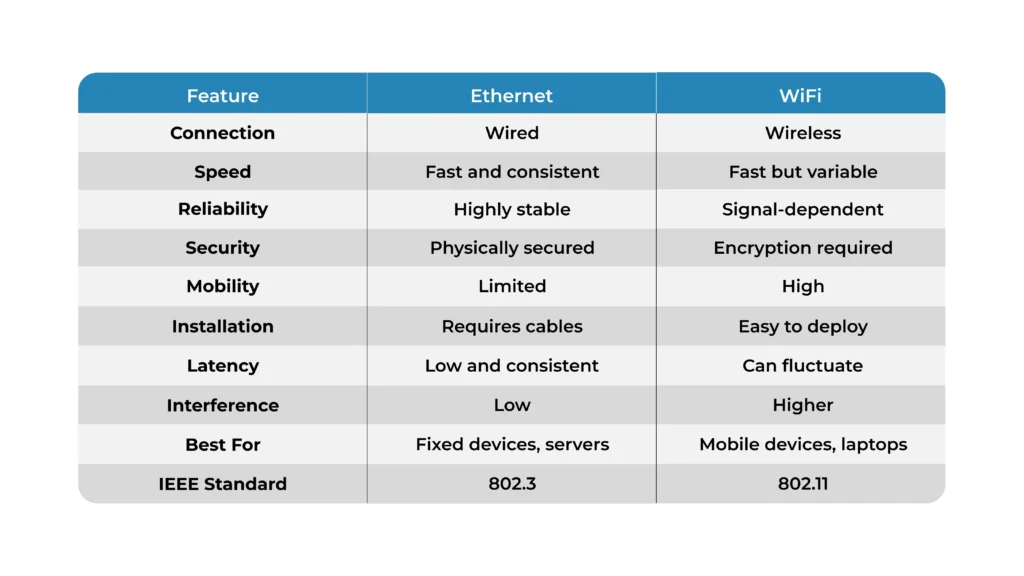
Ethernet and WiFi can both connect devices to a network and the internet, but they establish that connection very differently.
Ethernet requires a physical cable between the device and network equipment such as a switch, router, or hub. WiFi communicates wirelessly between a device and a wireless access point or router.
The main differences become clearer when comparing speed, reliability, security, convenience, and practical use cases.
1. Speed
Ethernet generally offers faster, more consistent speeds, with the potential to reach up to 10 Gbps with Cat6a or Cat7 cables.
WiFi speeds may fluctuate due to interference and range limitations, with a maximum theoretical speed for WiFi 6 reaching 9.6 Gbps.
Actual performance can vary depending on the hardware, network configuration, cable quality, wireless environment, and other factors. Theoretical maximum speeds also don’t necessarily reflect what a user experiences in everyday use.
Ethernet can be particularly useful when applications require consistent throughput or large amounts of data to move across the network.
2. Reliability
Ethernet is known for its reliability because it offers a stable physical connection.
WiFi is susceptible to interference from other devices and physical structures, which can affect its reliability.
Walls, floors, equipment, distance, and other wireless networks can affect WiFi performance. Ethernet avoids many of these wireless limitations because the connection travels through a physical cable.
For devices that need a consistent connection throughout the day, a wired Ethernet connection can therefore be a practical option.
3. Security
Ethernet is inherently more secure against interception since it relies on physical wired connections.
WiFi can be vulnerable to unauthorized access if not adequately secured with encryption.
A wired connection still requires appropriate network security controls. You also need to consider physical access to networking equipment and other security risks.
WiFi networks should use appropriate security protocols and strong authentication practices to reduce the risk of unauthorized access.
Security should therefore be part of the overall network design, rather than treating either technology as completely secure by default.
4. Convenience
Ethernet requires ports and cables, making it less convenient for mobile devices.
WiFi offers connectivity anywhere there’s a hotspot, making it highly convenient for mobile device connectivity.
WiFi gives users more freedom to move around while staying connected. This makes it a natural choice for smartphones, tablets, laptops, and other portable devices.
Ethernet requires more physical infrastructure, but that tradeoff can provide the consistency needed for stationary equipment and demanding applications.
5. Best Use Cases for Each Technology
Ethernet is ideally suited for high-bandwidth applications such as gaming, video editing, and data centers where speed and reliability are paramount.
WiFi is convenient for web browsing, mobile device connectivity, and scenarios where cabling is impractical or impossible.
The best choice can also depend on the environment. A business may use Ethernet for fixed workstations, servers, and specialized equipment while providing WiFi for mobile devices and employees who move throughout the facility.
In many cases, Ethernet and WiFi are not competing technologies. They work together as part of the same network.
Ethernet & WiFi Standards
IEEE 802 is a working group that establishes standards for network communications for Local Area Networks (LANs) and Metropolitan Area Networks (MANs).
The 802.3 standard covers Ethernet and forms the foundation for how Ethernet cables and signals operate, ensuring compatibility and performance across devices and brands. The 802.11 standard is for WiFi.
These standards help establish common rules for network communication. They allow equipment from different manufacturers to work within defined networking specifications.
Understanding these standards can also make it easier to understand why Ethernet and WiFi have different capabilities and how each technology fits into a network.
When Should You Use Ethernet?
Ethernet can make sense when a device stays in one location and needs a stable network connection.
Common examples include:
- Desktop computers
- Servers
- Data center equipment
- Gaming systems
- Video editing workstations
- Industrial equipment
- Business networking equipment
- Devices that regularly transfer large files
A wired connection can reduce concerns about wireless signal strength and interference. It can also provide consistent network performance for applications where interruptions or fluctuations are undesirable.
When Should You Use WiFi?
WiFi is useful when mobility and easy access are more important than maintaining a physical connection.
Common examples include:
- Smartphones
- Tablets
- Laptops
- Mobile workstations
- Guest devices
- Classrooms
- Offices with mobile employees
- Locations where installing cables is impractical
WiFi can also make it easier to connect many mobile devices without running an individual Ethernet cable to each one.
Can Ethernet & WiFi Be Used Together?
Yes. Ethernet and WiFi can operate on the same network.
For example, a business could connect its servers, desktop computers, and other fixed equipment through Ethernet while employees use WiFi to connect laptops, smartphones, and tablets.
This approach lets organizations use wired connections where consistent performance matters and wireless connections where mobility is more valuable.
The combination can provide flexibility without requiring every device to use the same type of connection.
Ethernet vs. WiFi: Which One Should You Choose?
Both Ethernet and WiFi hold essential roles in our connected world. Your choice depends on your specific needs for speed, reliability, and convenience. Understanding the underlying standards can offer valuable insights into how these technologies work and how to maximize their utility.
Consider Ethernet when you need a stable physical connection, consistent performance, and high-bandwidth networking. WiFi may be more suitable when mobility, convenience, and easy device access are the main requirements.
In many environments, the answer doesn’t have to be one or the other. A combination of Ethernet and WiFi can support different devices and applications across the same network.
Why Is Connectivity Important For Rugged Tablets?
Connectivity matters most when tablets are used outside traditional office environments.
Rugged tablets may be used in manufacturing facilities, warehouses, classrooms, field operations, government environments, and other demanding settings. These devices may need to communicate with business networks, access cloud applications, transfer data, or connect with other equipment.
The right connectivity configuration can help support productivity and keep workers connected to the systems they need.
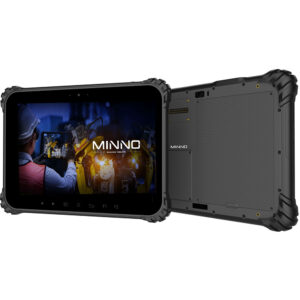
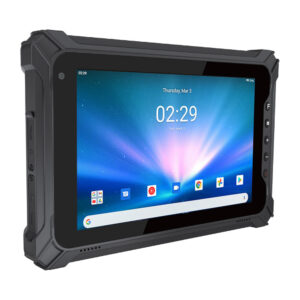
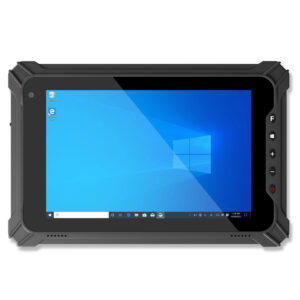
Minno is a privately held manufacturer of full-featured, high-performance rugged tablets (Android and Windows) and custom-designed or branded tablets for industry, education, and governments, sold B2B in volume at prices well below retail brands.
Minno rugged tablets are designed for high performance, durability, reliability, and versatility. Our tablets will change how your business operates and deliver value to customers by delivering productivity, efficiency, and business agility.
Build a More Connected Workplace With Minno Tablets

Choosing between Ethernet and WiFi depends on how your devices operate, where they are deployed, and how consistently they need to stay connected. Whether you’re an IT manager, systems engineer, operations leader, or procurement professional selecting rugged devices for industrial, commercial, education, or government use, connectivity is an important part of the hardware decision.
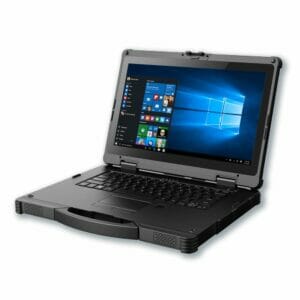
Minno offers rugged Windows and Android tablets, panel PCs, and edge computing solutions designed for demanding environments. With flexible connectivity options and configurations built around real-world operational needs, Minno devices can help teams stay connected while supporting productivity, efficiency, and business agility.
Beyond device performance, Minno provides U.S.-based customer support and fleet management to help organizations deploy, maintain, and manage their devices across multiple locations. This gives IT and operations teams support throughout the device lifecycle, from deployment to ongoing fleet management.
Looking for rugged hardware that fits your connectivity requirements? Contact Minno’s team to discuss a rugged tablet or computing solution tailored to your operational needs.
Frequently Asked Questions
1. Is Ethernet Faster Than WiFi?
Ethernet generally provides faster and more consistent network performance than WiFi, particularly when the wired connection and networking equipment support high data rates. WiFi performance can vary based on signal strength, interference, distance, and network traffic.
2. Is Ethernet More Reliable Than WiFi?
Ethernet is generally more consistent because it uses a physical connection. WiFi can be affected by interference, physical structures, distance, and other wireless networks.
3. Is WiFi More Convenient Than Ethernet?
WiFi is generally more convenient for mobile devices because users can move around while remaining connected. Ethernet requires a physical cable and an available network port.
4. Is Ethernet More Secure Than WiFi?
Ethernet has a physical connection, which can reduce certain wireless interception and unauthorized-access risks. However, network security depends on the entire network configuration. WiFi should use appropriate encryption and authentication to protect the connection.
5. Can A Device Use Both Ethernet And WiFi?
Yes. A network can support both wired Ethernet and wireless WiFi connections. Businesses commonly use Ethernet for stationary equipment and WiFi for laptops, tablets, smartphones, and other mobile devices.

Minno stands for Mobile Innovation and Value
Minno is a privately held manufacturer of full-featured, high-performance rugged tablets (Android and Windows) and custom-designed or branded tablets for industry, education, and governments sold B2B in volume at prices well below retail brands. Minno rugged tablets are designed for high performance, durability, reliability, and versatility. Our tablets will change how your business operates and deliver value to customers by delivering productivity, efficiency, and business agility.